

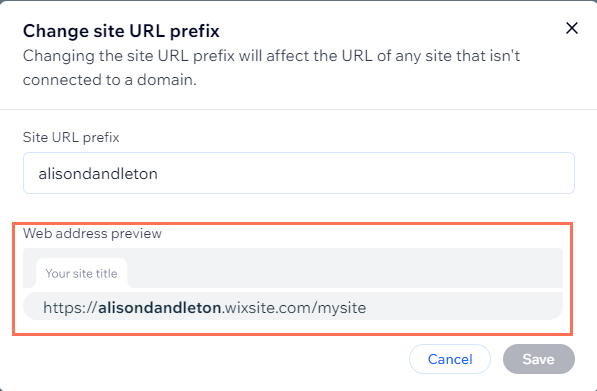
If you’ve ever started a website on a free plan – Wix, Google Sites, WordPress.com, or any other hosted builder – you’ve probably used one of those long, platform-branded URLs like:
account.wixsite.com/your-site-name
sites.google.com/view/yourproject
yourname.wordpress.com
They’re great for getting started. But at some point, upgrading to a custom domain becomes the next logical step for branding, professionalism, and SEO.
One question comes up a lot, especially from Wix users:
“If I switch to a custom domain, do I still get to keep the free domain – and will it redirect?”
Let’s break down how this works across the major free website builders.
Does Wix Let You Keep the Free Domain After Switching?
Short answer: Yes, it still exists – but no, it doesn’t redirect automatically.
On Wix:
- Your free URL (the wixsite.com address) continues to exist in the background.
- You cannot set that free Wix URL to automatically redirect to your new custom domain.
- Wix uses the free domain only as a fallback if your premium plan lapses.
In other words:
Your old free site won’t disappear, but it won’t act like a redirect either.
If someone visits the old free URL after you’ve connected a custom domain, Wix will often show a generic version of your site, but without the custom-domain benefits. It’s not an SEO-friendly redirect, and you can’t turn it into one.
What About Google Sites?
Google Sites is completely free, so:
- The sites.google.com link always continues to exist.
- You can map a custom domain if you want.
- But again – Google Sites does not turn the free URL into a redirect. Both URLs are simply active.
Visitors can reach your site using either link, but Google will treat them as two versions of the same site unless you set up canonical tags (Google Sites doesn’t allow custom SEO settings for this).
What About WordPress.com?
On WordPress.com free plans:
- Your wordpress.com address continues to exist.
- When you add a custom domain, the free WordPress.com URL automatically redirects – but only as long as you keep your paid plan active.
- If you cancel the paid plan, the redirect stops.
So WordPress.com is one of the few builders that actually gives you a real redirect.
Should You Worry About the Free Domain Staying Active?
Here’s the truth: once you switch to a custom domain, you should not rely on the free one for anything important – SEO, branding, traffic, etc.
If the old free URL remains accessible, it can cause:
- Duplicate content issues
- Brand confusion
- Unprofessional URLs showing up in search results
Ideally, you want everything funneling into your custom domain, with proper redirects and full control.
Builder platforms like Wix often don’t give that control because the free URL is tied to their own hosting system.
If You Want Full Control Over Redirects
If you ever want true control – real 301 redirects, canonical URLs, and the ability to decide what stays live or goes offline – you need a platform that gives you server-level access.
For example, on UltimateWB, you choose your own custom domain from the beginning, and you can redirect your old page URLs to new URLs if you decide to change them, by editing the .htaccess file. You get to work with full hosting access. No platform-imposed hits to your SEO.
Not every project needs that kind of control, but it’s good to know your options.
Final Answer (Simplified)
If you’re switching from a free domain to a custom domain:
- Wix: You keep the free site link, but it does not redirect.
- Google Sites: Free link stays live, no redirect.
- WordPress.com: Free link does redirect, but only while you maintain your paid plan.
If you want predictable redirects and full control, choose a platform where you – not the website builder – control the hosting.


